Develop
A full RAW editor: white balance, tone and colour, local adjustments with masks, healing, denoise and lens blur. Your original files are never changed; edits live in the catalog.
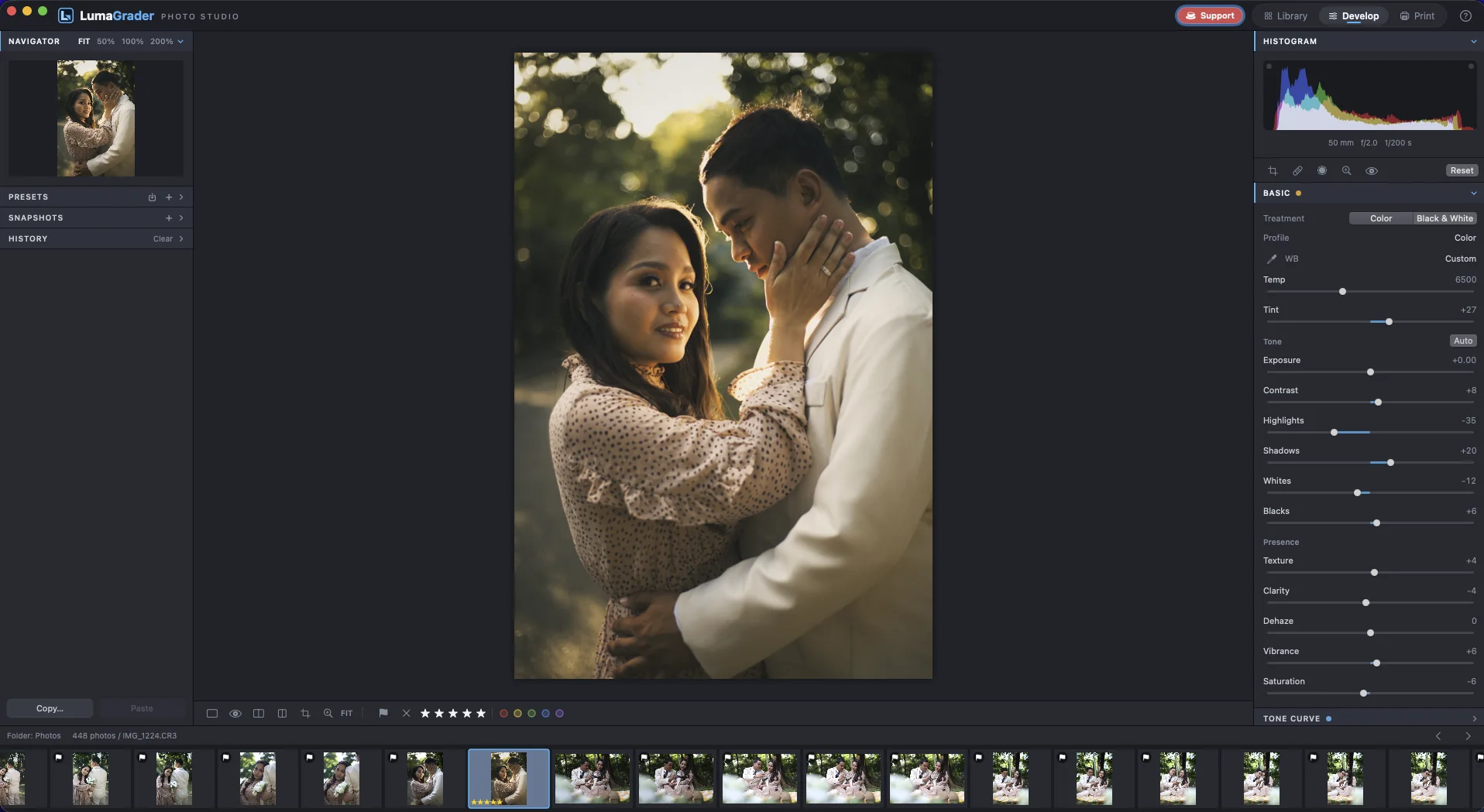
Tone and colour
The controls photographers expect, in the order they expect them.
- White balance with an eyedropper, exposure, contrast, highlights, shadows, whites and blacks.
- Tone curve, colour mixer, point colour and three-way colour grading.
- Auto sets the tone for you; click it again to undo.
- Before / after, clipping warnings and a full edit history.
- ⌘U
- Auto tone
- W
- White balance picker
- \
- Before / after
- J
- Show clipping
Masking
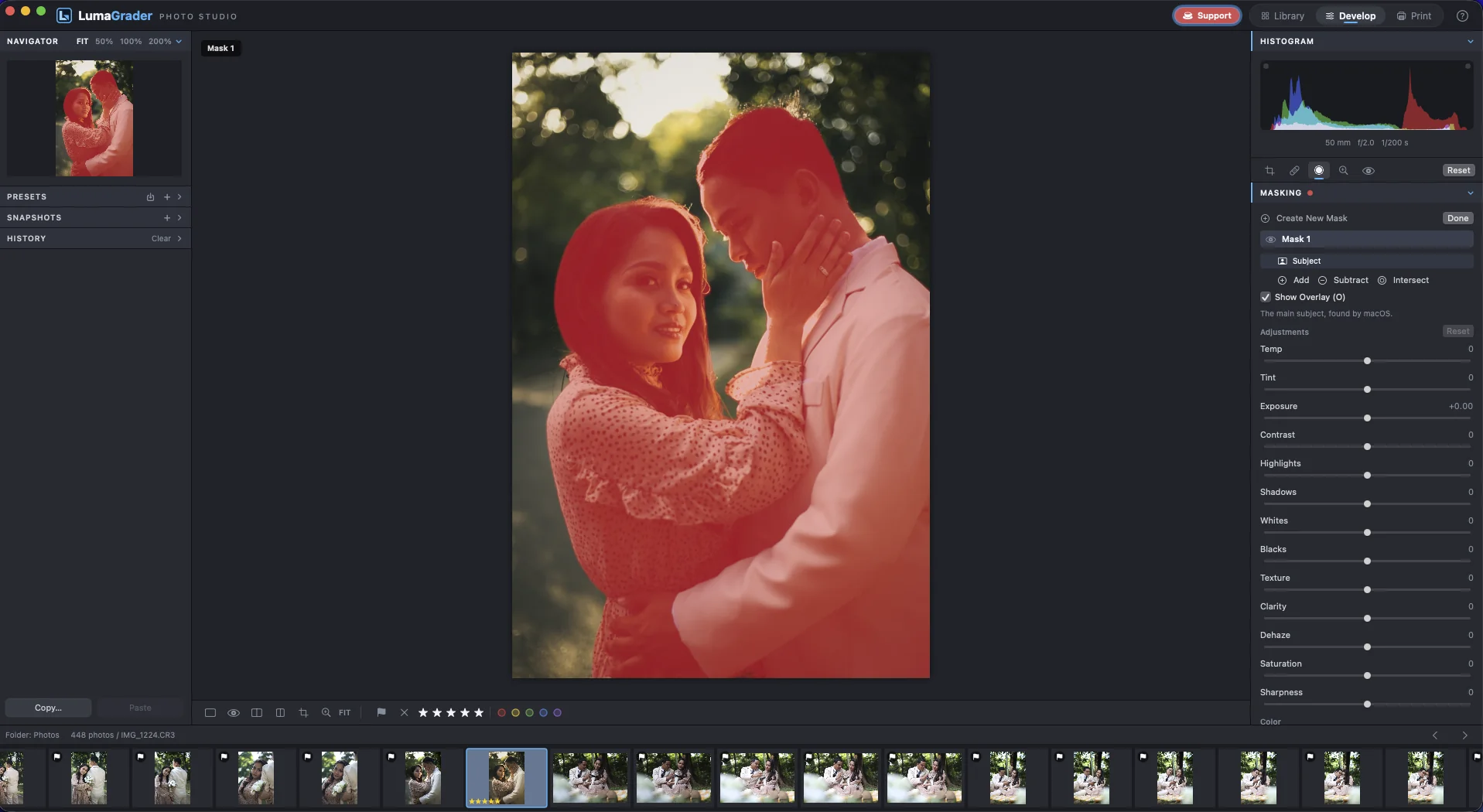
Edit just part of the picture: the subject, the background, a brushed area or a gradient.
- Select Subject and Background, found automatically.
- Brush, linear and radial gradients, luminance and colour ranges.
- Add, subtract and intersect areas within one mask.
- ⇧W
- Masking
- K / M / ⇧M
- Brush / Linear / Radial
- O
- Show the overlay
Healing, denoise and lens blur
Clean up spots, rescue high-ISO shots and soften the background.
- Healing picks a matching area for each spot you click.
- Denoise for high-ISO files; judge it at 100%.
- Lens blur around the subject, with bokeh shape and highlight boost.
- Q
- Healing
- [ ]
- Spot size
- Z
- Zoom to 100%
Presets, copy and sync
Edit one photo and give the same look to a whole set.
- Copy and paste chosen settings, or sync the active photo to a selection.
- Auto Sync edits every selected photo at once.
- Save your own presets, import Lightroom-style .xmp presets and .cube LUT profiles.
- ⇧⌘S
- Sync settings
- ⌥⇧⌘A
- Auto Sync
HDR merge
Combine two to nine bracketed exposures into one 16-bit file with full highlight and shadow detail.
- Auto align for handheld brackets, deghosting for things that moved.
- The merged file is added next to the originals, ready to edit.
- ⌃H
- HDR merge
Free for Mac. macOS 14 Sonoma or newer, Apple silicon or Intel.
Download for Mac