Export and print
Deliver to clients, social media and print labs, or print at home with your paper’s colour profile and an on-screen preview of how it will look.
Export
JPEG, 16-bit TIFF or PNG, at any size, with your file names and an optional watermark.
- Run several export presets at once, for example full-size for the client and 2048 px for social media.
- Exports run in the background while you keep working.
- Export with Previous repeats the last export in one keystroke.
- ⇧⌘E
- Export
- ⌥⇧⌘E
- Export with previous
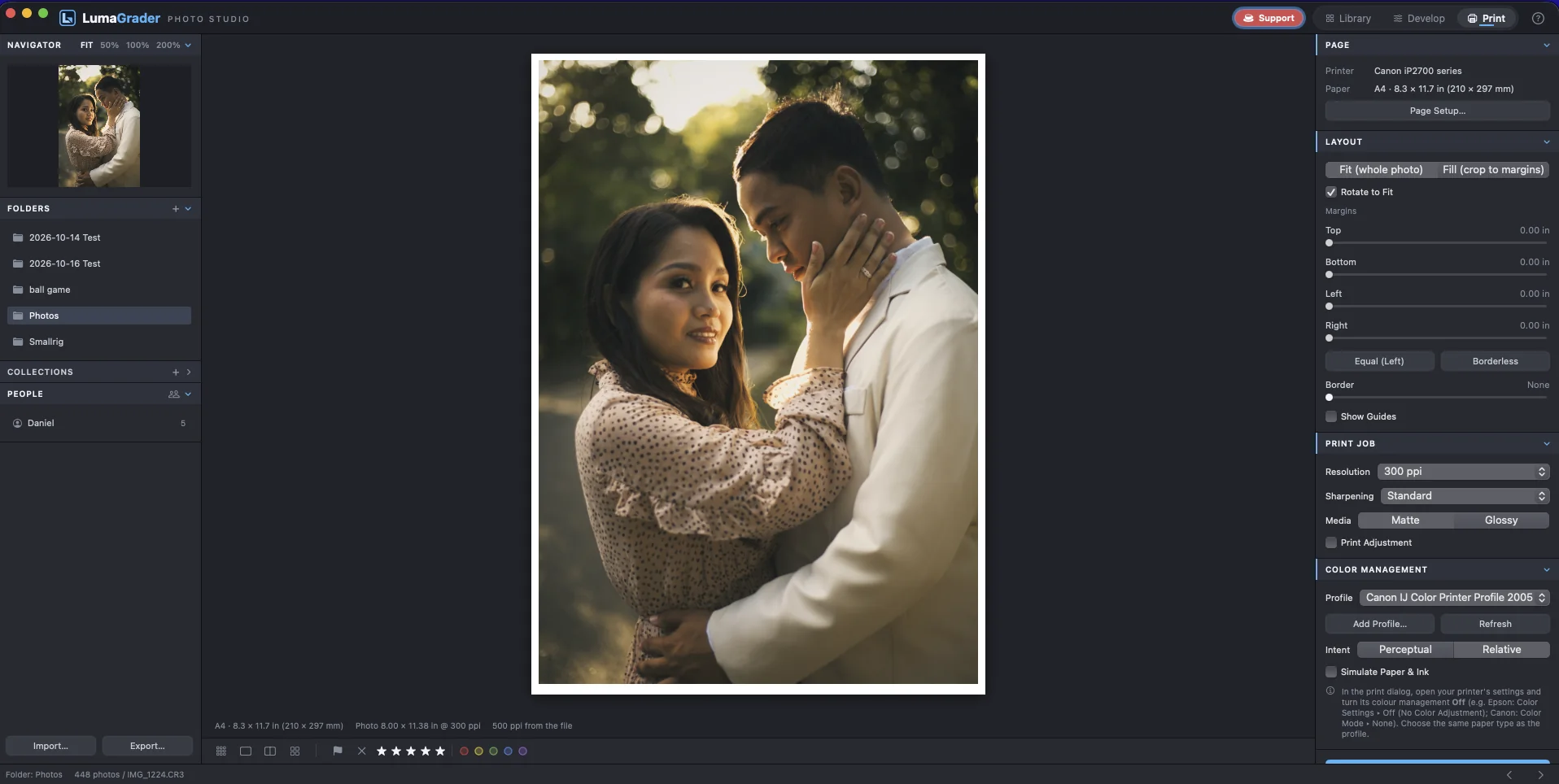
Print with your paper’s ICC profile and see the result on screen first.
- Choose the paper size and orientation in Page Setup.
- Set margins, fit or fill, resolution and print sharpening for matte or glossy paper.
- Pick your paper profile. Simulate Paper & Ink shows how the paper white will look.
- Print, with the printer’s own colour management turned off.
Prints darker than the screen? Turn on Print Adjustment and raise Brightness a little.
- ⌘P
- ⇧⌘P
- Page setup
Catalog backup
Your ratings, edits, collections and people live in one catalog file. Back it up with a click, or daily to another drive, and restore an earlier copy if you need to.
- Your photo files themselves are never changed.
Free for Mac. macOS 14 Sonoma or newer, Apple silicon or Intel.
Download for Mac